Installation
Open the below url in a web browser (preferably Chrome):
https://updates.gone.direct/pwa
Step 1::
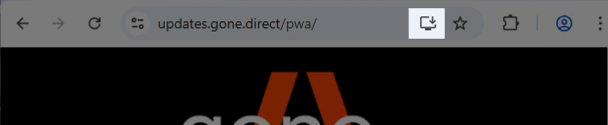
To install, click on the highlighted installation button
Step 2::
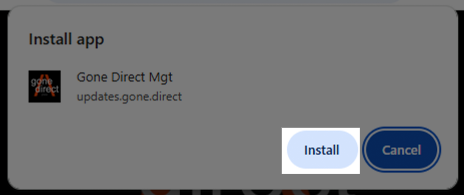
Click on the "install" button.
Step 3::
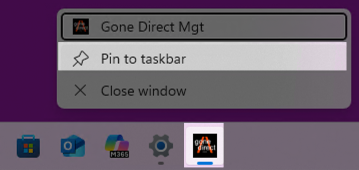
The PWA is now already installed. Right-click on the gone.direct icon in your task bar and click on "Pin to taskbar" to keep the shortcut in the taskbar for quick activation.
What is a PWA? Security considerations.
A Progressive Web App (PWA) is not actually an app in the traditional sense—it’s a website designed to look and behave like a native app. It runs in the browser but can be installed on your device, works offline, sends push notifications, and launches in its own window. PWAs are as secure as any modern website because they are served over HTTPS, ensuring encrypted data transmission and protection against tampering.